🔐 Protection levels
A single random 256-bit state key unlocks the box's encrypted state and backup volumes. Where that key is kept, decided on first boot, is what sets the box's protection level — and it can't change without a reinstall and a restore from the escrow.
🧮 The two custody modes
| Mode | Where the key lives | When it's used |
|---|---|---|
| TPM (the default when there is one) | Sealed in the TPM to the Secure Boot measurements (PCR 7 and 11 with Secure Boot on, PCR 4 and 11 with it off) | A TPM or vTPM is present and you didn't opt out on first boot |
| Key file | The first 32 bytes of a dedicated partition | No TPM at all (common on lab hypervisors without a vTPM, and on arm64 boards today), or you chose it on first boot |
There's no boot passphrase, and no key derived from the machine's identity: the key is 256 random bits, sealed or stored, never typed.
🚦 Full vs reduced
| What's true | Level |
|---|---|
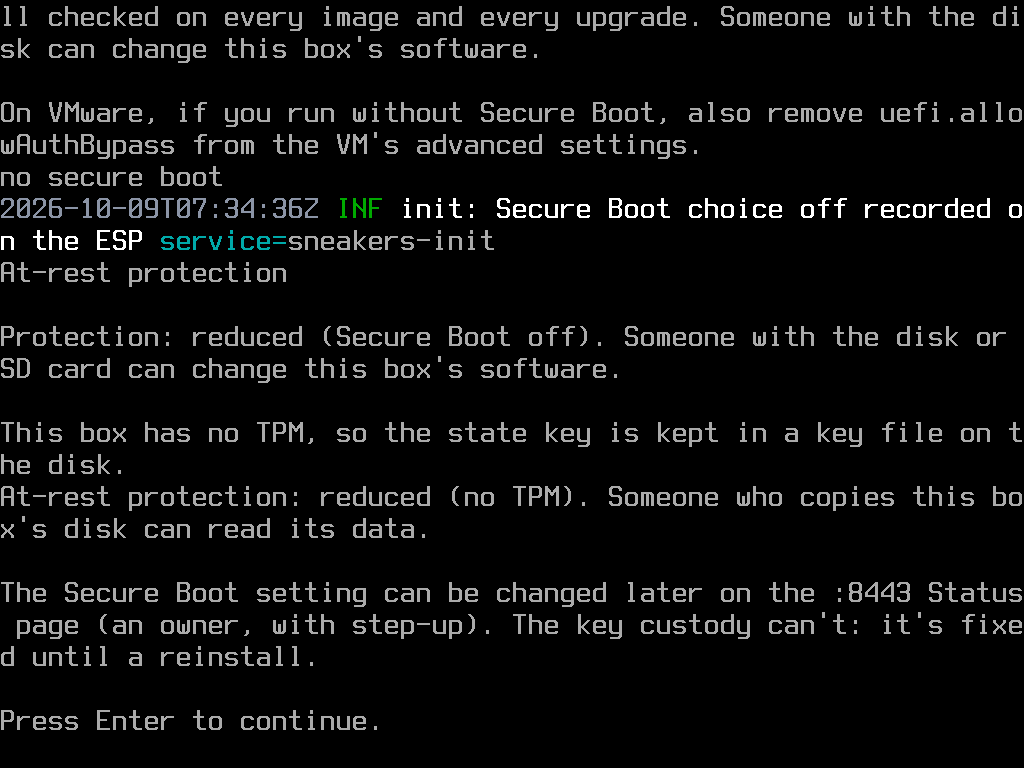
| No Secure Boot firmware at all | Reduced |
| Secure Boot off by choice, or not enforcing organisation-only keys | Reduced |
| Key-file custody (no TPM) | Reduced |
| TPM custody, with Secure Boot enforcing organisation-only keys | Full |
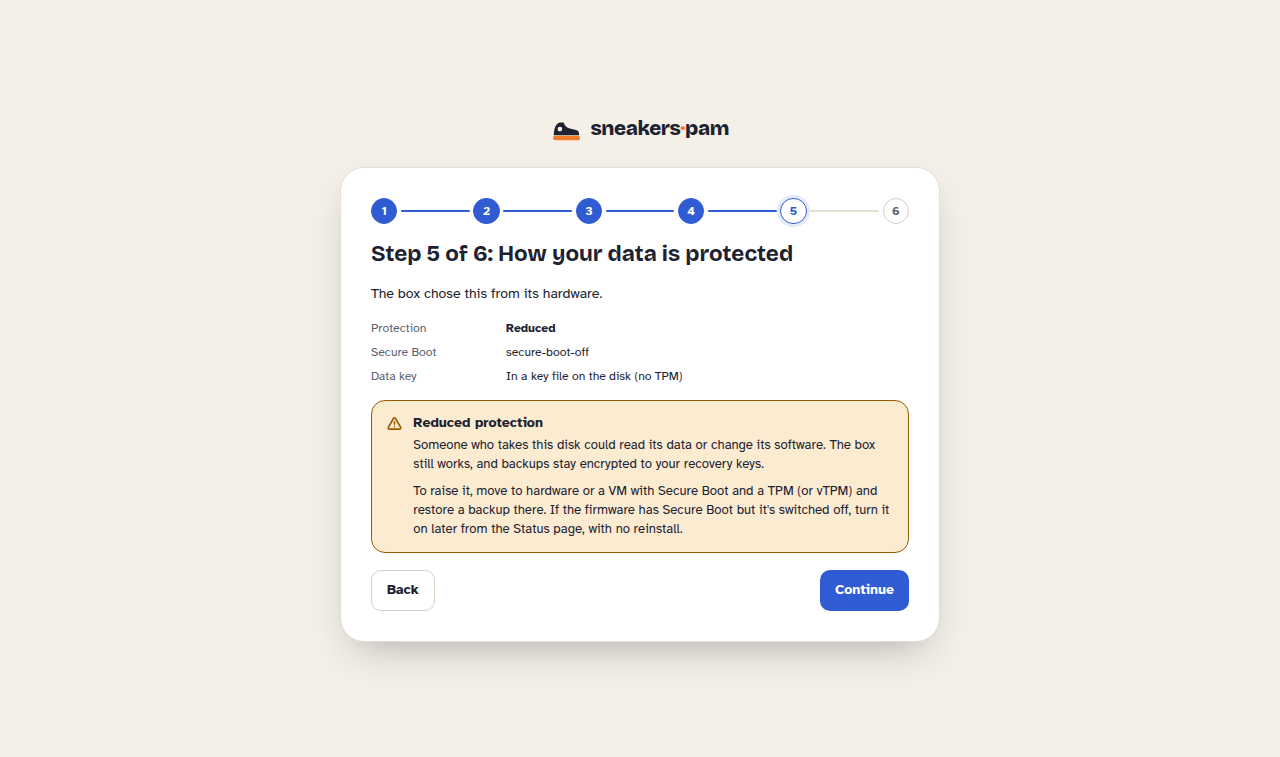
At reduced protection, the :8443 Status page shows a banner naming the exact reason and how to
raise it. Any signed-in admin can hide the banner with Hide this notice and a plain
confirmation (no code needed); the
box remembers that acknowledgement across reboots and updates, and audits it. A new reason, or
protection dropping again after being raised, brings the banner back. The Status page's Protection
card always shows the current level, the reason and how to raise it, whether or not the banner is
hidden.
⬆️ Changing protection later
Full protection needs both a TPM and the firmware enforcing organisation-only Secure Boot keys. The custody mode is fixed at first boot, so a box on key-file custody stays reduced until it's reinstalled on hardware with a TPM (or a vTPM).
The Secure Boot choice is also made at first boot. When it changes later, the box keeps the
previous key copy until the new one is proven to unseal, so it never loses access to its own data
mid-change. The :8443 pages in v0.1.0-rc.7 don't offer a switch for it yet, so plan the Secure
Boot choice before first boot (see Install on VMware ESXi or Install on
Proxmox VE).
A box set to use Secure Boot whose firmware stops enforcing it doesn't start the product: turning Secure Boot off in the firmware alone can't move a box to reduced protection. Turn it back on in the firmware.
🗝️ Why this matters for backups
The escrow is the way back when a TPM or key file is lost. It's encrypted to the recovery keys
you added at first setup, and once the product is installed it
carries the product's keys (the vault's root key and the TOTP key). Without it, and a recovery key
to open it, the data can't be read on new hardware. Download it from the :8443 Backups page
after the product is installed and after anything that changes the keys. The nightly database
backups are a separate thing: see Backing up and restoring the appliance.