🛠️ Troubleshooting
This page is diagnostics, not fixes. If a real problem turns up, it gets a real fix shipped in a build, not a workaround you repeat by hand on every box.
📦 The support bundle
A support bundle is one file with what it takes to diagnose the box: its status, the cluster, the logs, the mounts and the update records, then one timeline of every log in UTC. Secrets, tokens and keys are redacted from every line. Any admin can take one:
- on
:8443, open Logs, then Advanced: support bundle, and choose Download support bundle; - over SSH, run
support-bundlefor the key sections, orsupport-bundle fullfor everything.
Getting a support bundle has the details. Read a bundle before you send it to anyone: it still holds host names, addresses and account names.
📜 Logs
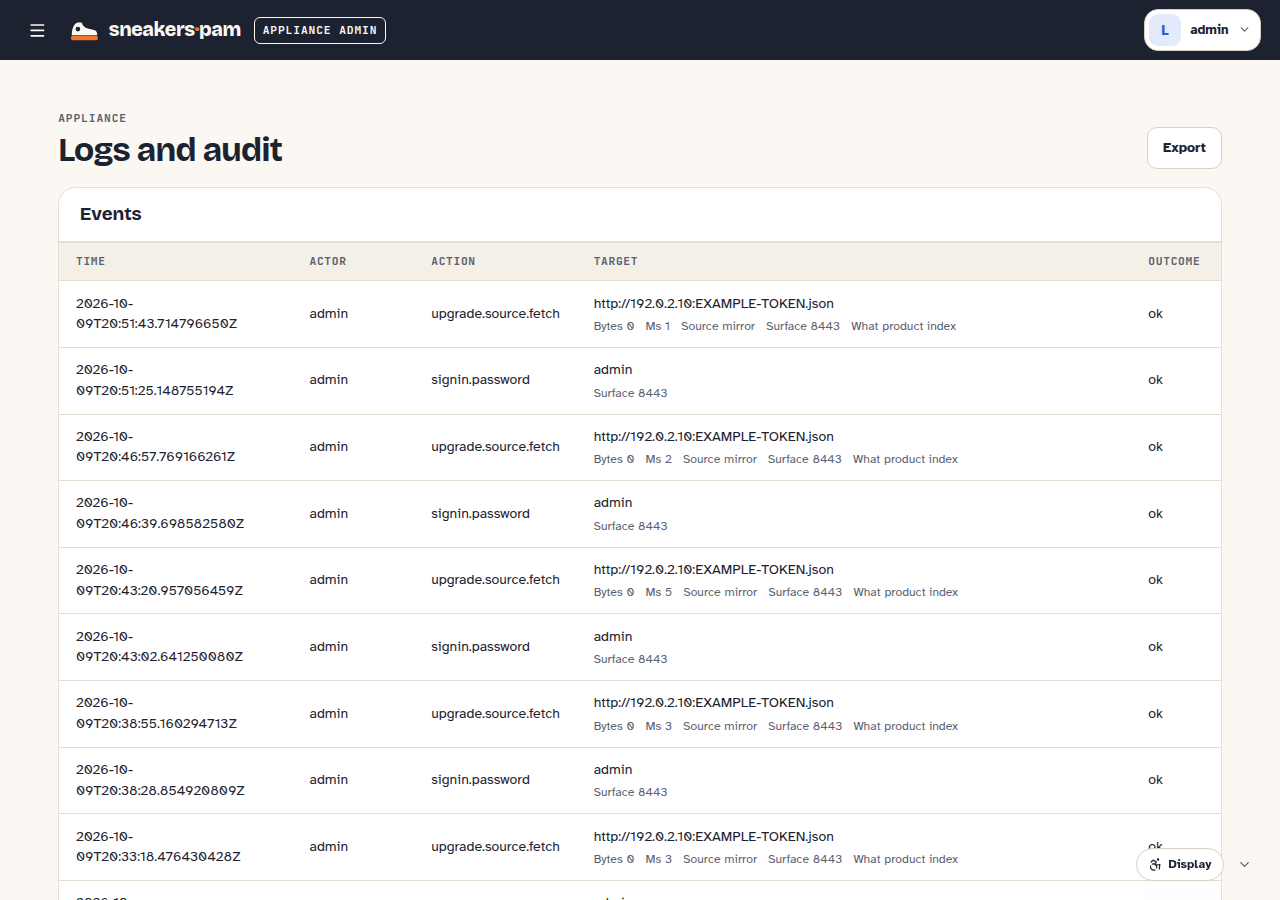
:8443's Logs page shows the OS audit log (every appliance-level action: sign-ins, updates,
resets, network changes). The support bundle carries the box's own logs. For the product's logs
live, a root shell gives you kubectl -n sneakers logs deploy/<service> --tail 50 (or --previous
for a container that restarted). logs export in the closed shell isn't available in
v0.1.0-rc.7.
🧰 Root-shell diagnostics
The root shell is busybox ash (v1.38), not a full Linux userland, so a few familiar flags and tools aren't there. Use these instead:
| Instead of | Use |
|---|---|
ps -e / ps -o ... | ps | grep <name> or ps | awk '...' |
stat -c ... | ls -l --full-time <file> for size and time |
pgrep <name> | ps | grep <name> |
findmnt | cat /proc/mounts, or mount | grep <path> |
df -hP keeps each volume on one line (handy in a script); watch -n 2 kubectl get pods -A
re-runs a check every two seconds. help in the root shell lists the commands that help
troubleshoot the box. Check what's actually in the build with busybox --list before assuming a
tool is missing rather than just named differently.
🔎 Known issues and expected signs
- Don't cut power during the upgrade to v0.1.0-rc.7, or straight after it. The upgrade moves the product's databases to a new PostgreSQL cluster, and a box that loses power right after that move can stay stuck. It's tracked in sneakers-appliance#579.
- An update or reinstall that stays on one step for a long time, such as "Rolling out" or
"Starting k0s": the step the Updates page names, and
kubectl -n sneakers get deploy,sts, usually show which workload never came up. Take a support bundle before you report it. - A plain
no IP ranges specifiedevent on a pod's first start is a normal, harmless transient. - A fresh, empty database right after
sneakers resetis expected, not data loss:sneakers resetremoves the product's data by design. Check:8443's Logs (OS audit) for aproduct.resetentry at that time to confirm it was asked for. - The product restarts after a host-name change. That's expected: once a new host name is kept, the box applies the product again with the new name, so the sign-in, the OAuth issuer and the MCP addresses follow it. The Updates history shows it as an apply of the same version.
🙅 No workarounds
If something here doesn't match what you're seeing, or a "known issue" fix doesn't land it for you, that's worth reporting rather than working around: a repeated manual fix on every box is exactly the kind of cost this appliance is meant to remove.